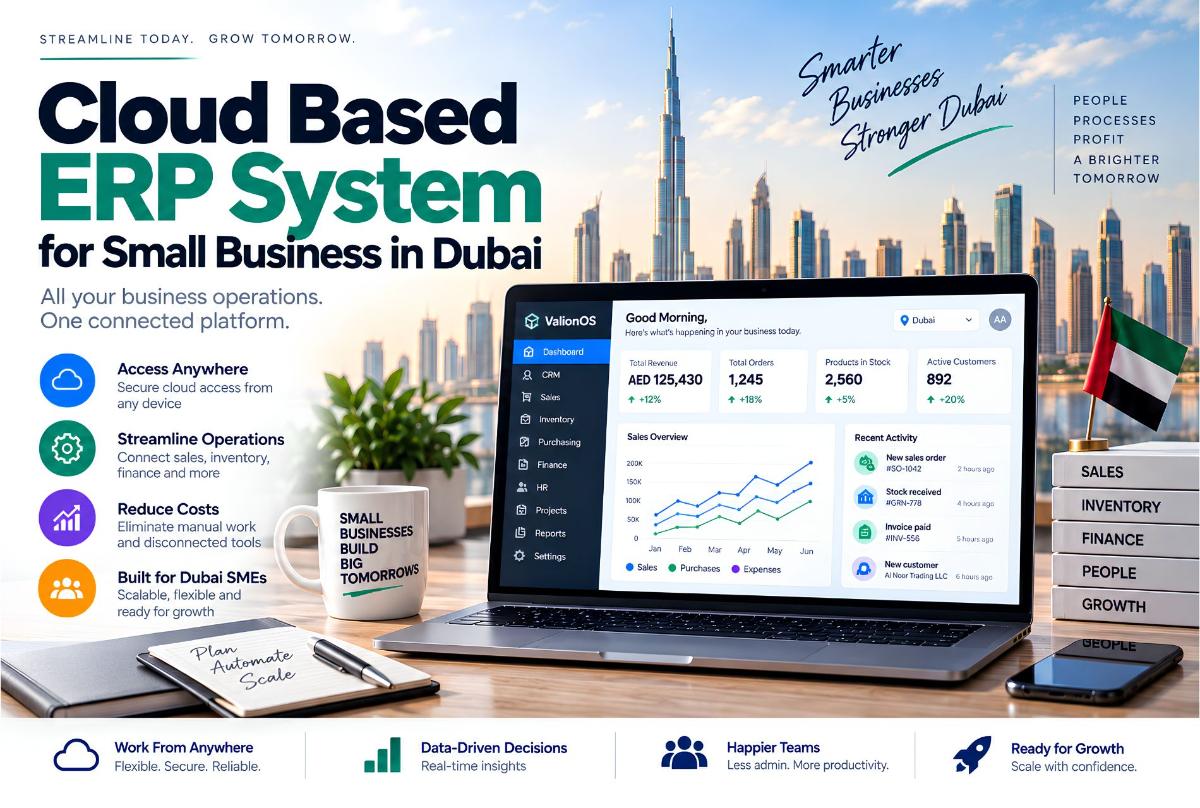
For a small business in Dubai, choosing an ERP is not primarily about finding software with the longest feature list.
The more important question is: Can the system connect the way your business actually operates?
A growing company may start with accounting software, Excel, CRM, inventory software, POS, HR tools, WhatsApp, and separate reporting spreadsheets. Each tool may work independently. The problem appears when employees have to move information between them.
A cloud based ERP for small business in Dubai can bring important business processes into a connected system.
- Customer
- Sale
- Inventory
- Invoice
- Payment
- Reporting
Instead of managing each step separately, the business can maintain a shared operational record. This guide is for commercial investigation — UAE first (Dubai primary), with the United States as a secondary market. For buy-vs-build economics, see Custom ERP vs SaaS cost. For delivery scoping, see how to scope a software development project.
What Is a Cloud ERP?
A cloud ERP is an enterprise resource planning system hosted through cloud infrastructure rather than installed and maintained entirely on local company servers. Users typically access the system through a browser or supported application.
A business may use cloud ERP to manage finance, sales, CRM, inventory, procurement, HR, projects, operations, and reporting. The exact modules depend on the ERP. The important part is that these modules can share business information.
Why Small Businesses in Dubai Are Looking at Cloud ERP
A small company does not necessarily need a large enterprise ERP. Implementing a system that is unnecessarily complicated can create its own problems. The need usually appears when the business has outgrown simple tools.
Early stage
Excel + accounting software + WhatsApp
Growing business
CRM + accounting + inventory + spreadsheets + booking
More complex operation
CRM + POS + inventory + finance + HR + multiple branches + reporting
At the third stage, management may start asking: “Why does nobody have one complete view of the business?” That is where cloud ERP Dubai conversations become relevant — and where ERP development enters the evaluation.
What Should a Small Business ERP Include?
Not every company needs every module. A practical ERP should begin with the processes that actually matter.
1. Finance and Invoicing
The financial module may include quotes, invoices, payments, expenses, receivables, payables, and financial reporting.
For a small business, this can be one of the most important parts of the ERP because financial information should connect with sales and operations.
- Sale
- Invoice
- Payment
- Financial record
The employee should not need to enter the same transaction several times.
2. CRM
The ERP can maintain customer information alongside operational activity. A customer record might contain contact information, leads, sales activity, orders, appointments, invoices, payments, and communication history. This becomes more useful when the same customer interacts with multiple departments.
3. Inventory Management
Inventory becomes complicated surprisingly quickly. A business may have multiple products, different suppliers, multiple warehouses, purchase orders, stock transfers, returns, damaged stock, and reorder requirements.
A connected ERP can associate inventory with sales and purchasing.
- Customer order
- Stock decreases
- Reorder threshold reached
- Purchase requirement
That is much more useful than manually checking a spreadsheet. Largify’s StockMaster / inventory management product is positioned around centralized inventory, multi-warehouse management, stock tracking, and analytics across several business types.
4. Procurement
Inventory and procurement are closely connected. A basic workflow might be:
- Low stock
- Purchase request
- Supplier
- Purchase order
- Goods received
- Inventory updated
- Supplier invoice
A business does not necessarily need a huge procurement department to benefit from having these steps connected.
5. Sales Management
An ERP can connect:
- Lead
- Customer
- Quote
- Order
- Invoice
- Payment
That gives management a clearer view of the sales pipeline and what happens after a deal closes. It also prevents sales information from becoming isolated from finance.
6. HR and Employee Management
Depending on the business, ERP may include employee records, attendance, leave, departments, roles, payroll integration, and performance information.
Not every ERP should attempt to replace specialized HR software. The better question is: Which employee information actually needs to connect with operations?
7. Projects and Operations
For service businesses, ERP can extend beyond products and inventory. A project may involve:
- Lead
- Proposal
- Project
- Assigned employees
- Tasks
- Client communication
- Invoice
- Payment
A connected workflow reduces the need for employees to manually move information between CRM, project management, and accounting tools.
8. Reporting
ERP should not simply store information. It should make that information usable. Management may need to answer:
- What did we sell this month?
- Which branch generated the most revenue?
- What is currently unpaid?
- Which products are low in stock?
- What are our operating expenses?
- Which customers are active?
- What work is currently open?
The reporting requirements should be defined before choosing the ERP. Otherwise, you can end up with a system containing thousands of records but still requiring Excel for management reporting.
Cloud ERP vs Traditional On-Premise ERP
For many SMEs, cloud ERP changes the deployment model. With cloud software, the business generally accesses the system remotely while the underlying infrastructure is managed through the cloud environment.
That can make sense for companies with remote teams, multiple branches, distributed management, external accountants, or multiple operating locations.
However, cloud does not automatically mean simple. The business still needs to consider user permissions, backups, security, integrations, data migration, training, support, and business continuity.
Cloud ERP for Dubai Businesses
Dubai businesses often operate across multiple locations, teams, and customer channels.
A retail company might have: Store → POS → Inventory → Warehouse → Finance.
A salon might have: Booking → Staff → POS → Membership → Inventory.
A service company might have: Lead → Quote → Job → Employee → Invoice → Payment.
A property company might have: Lead → Property → Viewing → Deal → Contract → Commission.
These businesses have different workflows. That is why choosing an ERP by the number of modules alone can be misleading. The better question is: Can the ERP model the workflow?
UAE-Specific ERP Requirements
A UAE implementation may need to account for local business requirements. Depending on the company and accounting setup, businesses may need considerations around:
- AED transactions
- VAT-related workflows
- Tax invoices
- Branches
- Arabic and English interfaces
- Local payment methods
- UAE accounting requirements
- Regional integrations
Largify currently positions UAE delivery around Dubai, Abu Dhabi, and Sharjah, and references UAE VAT-aware delivery, AED pricing, and local integrations on the UAE market page and markets overview.
These requirements should be confirmed with the company’s accountant or tax advisor rather than assumed by a software developer.
How Much Does Cloud ERP Cost for a Small Business?
There is no meaningful single price for “ERP.”
A small business might use an existing ERP subscription with a standard module set. Another company might require custom workflows, multiple branches, custom integrations, data migration, custom reports, mobile applications, or industry-specific modules. Those projects have very different costs.
This is why ERP pricing should be evaluated using total scope, not just the monthly subscription. For a deeper comparison between SaaS subscriptions and custom ERP investment, see Custom ERP vs SaaS cost.
Off-the-Shelf ERP vs Custom ERP
This is one of the most important decisions.
Off-the-Shelf ERP
An existing ERP can make sense when business processes are relatively standard, required modules already exist, integrations are available, configuration covers the requirements, and the business wants faster implementation.
The advantage is that you are adopting an existing product rather than funding the creation of an entire software platform.
Custom ERP
Custom ERP becomes worth evaluating when:
- Core workflows are highly specific
- Existing ERP software forces workarounds
- Multiple systems need to be connected
- The business has proprietary processes
- Multiple branches require specialized rules
- Reporting requirements are unusual
- The ERP itself provides competitive differentiation
Custom ERP should not be chosen because it sounds more advanced. It should be chosen because the business has a problem that standard software cannot handle efficiently — which is when custom ERP development and custom software development become relevant evaluation paths.
The Real Problem With ERP Is Often Not Features
Imagine a company using CRM, accounting, inventory, WhatsApp, Excel, and project management. Now a customer places an order.
The sales employee updates the CRM. The finance employee creates an invoice. The warehouse checks inventory. The manager updates a spreadsheet. Someone sends the customer a WhatsApp message. The same customer information may exist in five different places.
That is the actual problem ERP is designed to address.
The goal is not “Put everything into one giant application.” The goal is: Connect the business information that needs to work together.
How ERP Can Connect Business Operations
Consider a service company.
- Lead
- Quote
- Approval
- Job
- Assignment
- Completion
- Invoice
- Payment
- Reporting
The value comes from the connected workflow.
ERP for Multi-Branch Businesses
Multi-branch operations create another layer of complexity. Imagine a company with Dubai, Abu Dhabi, and Sharjah locations. Each branch needs local operations. Management needs consolidated visibility.
The ERP may therefore need branch-level users, branch permissions, separate inventory, branch revenue, central reporting, inter-branch transfers, and shared customer records.
A good architecture should decide early which data belongs to the company, branch, department, and user. That becomes especially important when the company plans to expand — covered in depth in multi-branch management systems.
ERP and Inventory
Inventory is often where disconnected systems become obvious. Imagine three branches: Branch A has excess stock, Branch B is running low, and Branch C has a different supplier arrangement. Management wants to know: What stock exists across the entire company?
A connected inventory module can structure the answer around product, warehouse, quantity, movement, supplier, purchase, sales, and transfers.
Largify’s inventory management product is built around this type of centralized inventory model, including multi-warehouse stock synchronization and industry-specific configurations.
ERP Should Not Mean One Giant System
This is an important distinction. A modern ERP does not necessarily need to replace every specialist application.
For example, the ERP can connect to a payment gateway, accounting platform, WhatsApp, banking system, e-commerce platform, and payroll provider. The ERP can act as the operational system connecting the workflows that matter while specialist services continue performing specialized functions.
This approach can be more practical than attempting to rebuild every external system.
When Should a Small Business Move to ERP?
There is no employee-count threshold where a business suddenly “needs ERP.” Instead, look for operational signals.
- Signal 1: Duplicate data — employees enter the same information into multiple systems.
- Signal 2: Manual reporting — management needs spreadsheets to combine information from different tools.
- Signal 3: Growing branch structure — different locations maintain separate operational records.
- Signal 4: Inventory complexity — stock exists across warehouses or branches.
- Signal 5: Increasing operational handoffs — sales, operations, and finance constantly pass information between teams.
- Signal 6: Management lacks visibility — important business questions require asking several employees before anyone can answer.
These are stronger signals than company size alone. Related reading: when to replace spreadsheets with custom software.
When ERP Is Still Too Much
ERP is not automatically the answer. If your company has one location, few employees, simple sales, minimal inventory, standard accounting, and no complex operational workflows, a combination of existing SaaS tools may be sufficient.
The goal is not to implement ERP because other companies have ERP. The goal is to solve a real operational problem.
Cloud ERP Implementation: Where Projects Go Wrong
The software itself is only one part of implementation. Projects can become difficult when businesses fail to define users, roles, workflows, data migration, integrations, reports, permissions, approval processes, training, and what is included in phase one.
The implementation should therefore start with business processes. Largify’s approach to software scoping begins with users, workflows, requirements, integrations, technical architecture, and MVP definition before development expands — see how to scope a software development project.
A Practical ERP Implementation Process
Phase 1: Discovery
Document current systems, business workflows, departments, users, branches, data, integrations, and reporting requirements.
Phase 2: Architecture
Define modules, database structure, permissions, integrations, deployment, and security.
Phase 3: MVP
Start with the processes that create the most operational value.
- CRM
- Sales
- Inventory
- Finance
rather than launching every possible module simultaneously.
Phase 4: Data Migration
Clean and map existing data. This can include customers, products, suppliers, employees, opening balances, and historical records.
Phase 5: Testing
Test real workflows — not just “Does the button work?” Test: “Can a sale move from customer order through inventory, invoice, and payment without creating duplicate records?”
Phase 6: Launch
Deploy, train users, and monitor actual operations.
Phase 7: Expansion
Add modules based on real operational requirements.
ERP and AI: Where Does AI Actually Fit?
AI should not be added simply because an ERP contains AI. Useful AI applications can include natural-language reporting, document processing, customer communication, sales assistance, forecasting support, internal search, workflow automation, finance assistance, and operations assistance.
The key requirement is context. An AI assistant that cannot access authorized business records cannot answer operational questions accurately. This is one of the principles behind ValionOS. See also Largify’s AI & ML services.
How ValionOS Approaches Connected Business Operations
ValionOS was designed by Largify as a multi-industry business operating system connecting operations, customer management, automation, and AI-powered workflows.
Its architecture includes connected applications for areas such as CRM, projects, bookings, finance, inventory, HR, customer portals, and reporting. The platform is also designed around shared business data and permission-aware AI assistants.
That makes the ValionOS case study relevant to this article because it demonstrates the type of connected platform architecture Largify is building itself, rather than simply describing ERP concepts in theory.
ERP vs Business Operating System
The terms can overlap, but there is a useful distinction.
Traditional ERP thinking often centers around finance, inventory, procurement, HR, and operations. A broader business operating system can extend into CRM, bookings, projects, finance, inventory, HR, portals, automation, and AI.
The distinction depends on the platform. For some companies, traditional ERP is enough. For others, the business needs a broader operational layer.
How to Choose ERP Software for a Small Business in Dubai
Before comparing vendors, create a checklist.
Business
- What processes need to be connected?
- How many users?
- How many branches?
- What data already exists?
Finance
- What accounting workflows are required?
- What invoice requirements apply?
- What reports are needed?
Operations
- How are orders or jobs created?
- How are employees assigned?
- How is completion tracked?
Inventory
- How many warehouses?
- Are stock transfers required?
- Are batches, serial numbers, or assets needed?
CRM
- Where do leads come from?
- What customer information needs to be shared?
Integrations
- Payment?
- WhatsApp?
- Accounting?
- E-commerce?
- Existing CRM?
Technology
- Cloud?
- Mobile?
- API?
- User permissions?
- Backups?
- Security?
Future
- More branches?
- More users?
- More countries?
- New business units?
- New products?
This creates a much better basis for ERP software for small business Dubai selection.
Questions to Ask an ERP Provider
Before signing an agreement, ask:
- Can the system support our actual workflow?
- Which features are standard?
- Which features require customization?
- Which integrations already exist?
- How is data migrated?
- How are user permissions handled?
- How does multi-branch access work?
- What reporting can be customized?
- What happens when our requirements change?
- What support is included after launch?
The answers matter more than a product demo filled with impressive screens.
Cloud ERP for the United States
The same principles apply to US businesses. The commercial requirements may differ around accounting systems, payment providers, tax workflows, payroll, multi-state operations, industry integrations, and enterprise software requirements.
Largify currently lists the United States as one of its delivery markets and positions US work around MVP development, offshore engineering, IP protection, and US-friendly contract workflows on the United States market page.
The underlying principle remains the same: Start with the business workflow, then select the ERP architecture.
Custom ERP or Existing ERP?
Use this simple framework.
| Requirement | Existing ERP | Custom ERP |
|---|---|---|
| Standard accounting | ✓ | |
| Standard inventory | ✓ | |
| Basic CRM | ✓ | |
| Standard purchasing | ✓ | |
| Highly specific workflows | ✓ | |
| Proprietary business rules | ✓ | |
| Complex integrations | Maybe | ✓ |
| Unusual reporting | Maybe | ✓ |
| Multi-branch operations | ✓ | ✓ |
| ERP itself is a product | ✓ | |
| Existing ERP creates major workarounds | ✓ |
The objective is not to make custom development look better. It is to identify when the business requirements justify it.
Final Takeaway
For a small business in Dubai, cloud ERP can be useful when operations have moved beyond isolated tools and spreadsheets.
The right system should connect the processes that actually need to share information. That might be CRM → Sales → Finance, or Sales → Inventory → Procurement → Finance, or Bookings → Staff → POS → Inventory → Customer.
The ERP should follow the business. The business should not have to redesign every important process just to fit the software.
For straightforward operations, an existing ERP may be enough. For businesses with proprietary workflows, multiple branches, complex integrations, or a need for a broader operating platform, custom ERP development can be worth evaluating.
And for businesses that need more than traditional ERP, a broader operating system such as ValionOS can provide a different architecture built around connected business applications, automation, and AI.
Building an ERP in a specific market? See our guides to ERP software development in Dubai and the UAE, ERP development in Saudi Arabia with ZATCA e-invoicing and ERP software development for US companies.
Frequently Asked Questions
What is cloud ERP for small businesses?
Cloud ERP is business management software hosted through cloud infrastructure and accessed remotely. It can connect functions such as finance, CRM, inventory, sales, procurement, and operations.
Is cloud ERP suitable for SMEs in Dubai?
It can be, particularly when the business has multiple departments, branches, inventory, operational workflows, or growing reporting requirements. Smaller companies with very simple processes may not need ERP yet.
How much does ERP software cost in Dubai?
There is no single cost. Subscription ERP, configured ERP, and custom ERP can have very different pricing structures. The final cost depends on users, modules, integrations, implementation, and customization.
Should a small business use custom ERP?
Not necessarily. Existing ERP software should be evaluated first. Custom ERP becomes more relevant when important business processes do not fit existing products or when the software itself is strategically important.
Can cloud ERP manage multiple branches?
Yes. ERP architecture can support branch-level users, data, inventory, reporting, and permissions while allowing management to access consolidated information.
Can ERP integrate with WhatsApp?
Depending on the platform and available APIs, ERP systems can integrate messaging workflows such as notifications, customer communication, and automated updates.
What is the difference between ERP and ValionOS?
ERP generally focuses on integrated business management functions such as finance, inventory, procurement, and operations. ValionOS is positioned by Largify as a broader multi-industry business operating system combining business applications, automation, and AI within a shared workspace. Read the ValionOS case study.
Need an ERP That Fits Your Business?
Before selecting software, map your workflows, users, branches, integrations, and reporting requirements.
Largify builds ERP systems and business operating platforms around operational requirements rather than forcing every business into the same software structure. Delivery covers ERP, SaaS platforms, and AI-powered business operating systems across markets including the UAE and United States.
Explore Largify’s ERP development services · ValionOS product · ValionOS case study · Custom ERP vs SaaS cost · software project scoping.
Request an ERP workflow assessment / discovery call — map workflows before you buy or build.