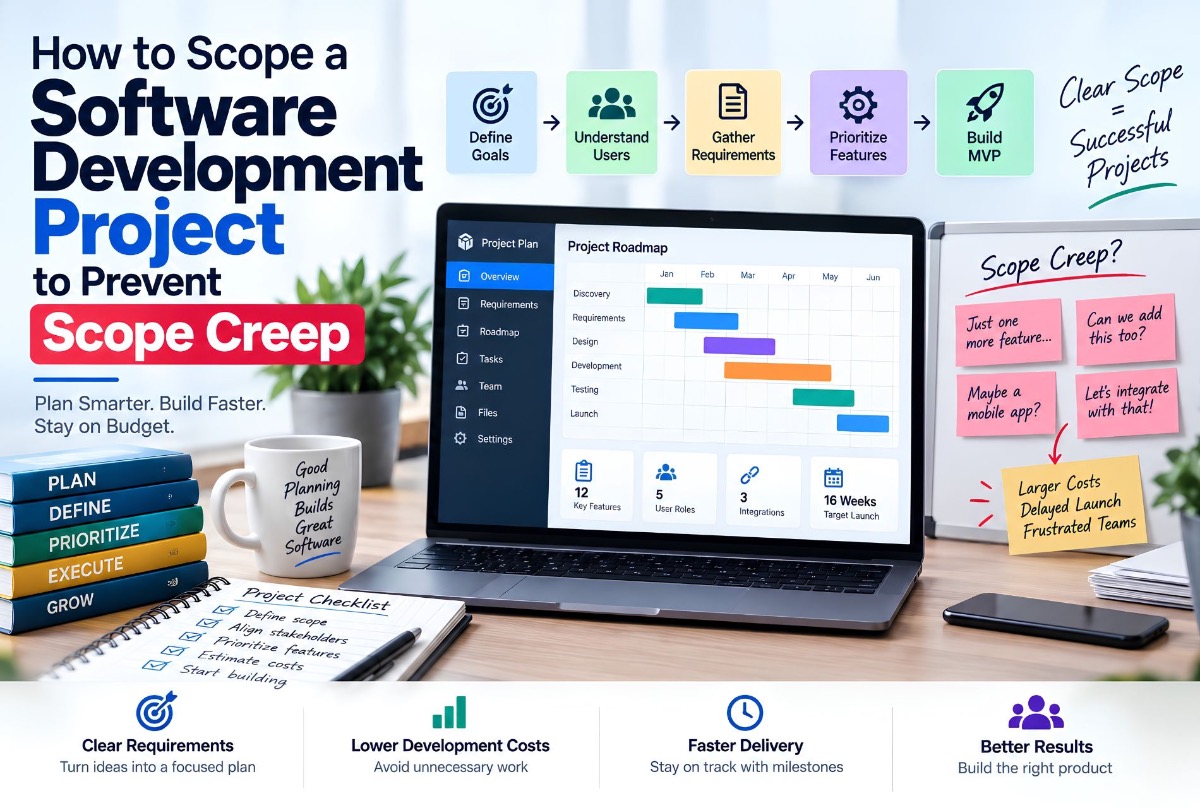
Many software projects do not fail because the developers cannot build the software. They fail because nobody clearly defined what was supposed to be built in the first place.
A project starts with “we need a CRM.” Then the requirements become CRM, mobile app, customer portal, WhatsApp integration, AI chatbot, accounting, inventory, reports, automation, and multi-branch support. By the middle of development, the original project has become something completely different.
This is scope creep: requirements, features, workflows, or expectations expand beyond the originally agreed project scope without properly adjusting budget, timeline, resources, or priorities.
The solution is not to stop improving the product. The solution is to create a clear scope before development begins and establish a controlled process for changes afterward — especially for custom software development, SaaS MVP development, and custom ERP development work. When you are ready to compare vendors, use the custom software development company evaluation checklist.
What Is Software Project Scope?
Software project scope defines what a development project will and will not deliver. It answers:
- What are we building?
- Who will use it?
- What features and workflows are included?
- Which platforms and integrations are required?
- What is excluded?
- What does the first release contain?
- What are the acceptance criteria?
Think of scope as the boundary of the project. Inside the boundary is what the development team is responsible for delivering. Outside the boundary may still be valuable, but it belongs to a future phase, separate project, or change request.
Why Software Projects Develop Scope Creep
Scope creep usually does not happen because someone intentionally wants to damage a project. It happens gradually: “Can we also add this small feature?” Then another feature, an integration, a new user role, a workflow change. Each request may appear small. The cumulative effect is not.
Example: customer booking system → employee management → inventory → POS → memberships → loyalty → accounting → mobile application. The project is no longer a booking system — it has become a business management platform, even if nobody formally acknowledged the change. Related reading: multi-branch POS, inventory and bookings and website vs web application.
Scope Creep vs Healthy Product Evolution
Not every new requirement is bad. Software products should evolve. The important distinction is whether the change is controlled.
Healthy change
A new requirement is identified → impact evaluated → client and team agree → budget and timeline updated if necessary → requirement added to the plan.
Scope creep
A new requirement is added informally → development continues → nobody updates timeline or budget → more work accumulates → deadline moves → costs increase → everyone becomes frustrated.
The problem is not change. The problem is unmanaged change.
Start With the Business Problem
One of the biggest mistakes is starting with a feature list (“we need 15 screens”). That does not explain what the software is supposed to accomplish.
Ask: What problem are we solving? For example: sales teams manage leads through spreadsheets and WhatsApp, causing missed follow-ups. Desired outcome: a centralized system for capturing leads, assigning representatives, tracking follow-ups, and measuring conversion. Now features have a purpose — the same principle as when to replace spreadsheets with custom software.
Define the Users Before the Features
Different users require different functionality. Identify user types first — for example Super Admin, Business Owner, Branch Manager, Employee, Customer — then define what each can do.
- Business Owner — all branches, reports, employees, services, financial performance
- Branch Manager — branch employees, bookings, daily operations, branch performance
- Employee — assigned tasks, bookings, customer records
Every feature can then be connected to a user role.
Map the Core Workflows
A feature list tells developers what exists. A workflow tells them how the system works.
Example booking workflow: customer selects service → branch → employee → time → confirms → payment → employee notification → calendar → customer confirmation. If the workflow is not documented, different people may imagine completely different meanings of “booking system.”
Create a Feature Inventory
Convert workflows into a structured inventory:
| Module | Feature | User | Priority |
|---|---|---|---|
| Authentication | Login | All users | Must Have |
| Customers | Customer profiles | Staff | Must Have |
| Booking | Create booking | Staff | Must Have |
| Booking | Online booking | Customer | Must Have |
| Payments | Card payment | Customer | Must Have |
| Notifications | Booking confirmation | Customer | Should Have |
| Reports | Revenue dashboard | Owner | Should Have |
| Loyalty | Loyalty points | Customer | Could Have |
This is much more useful than “build a complete booking platform.”
Use Must Have, Should Have, and Could Have
- Must Have — the product cannot launch without it
- Should Have — important, but launch is possible without it
- Could Have — useful but not essential for the initial release
- Won’t Have Now — explicitly excluded from the current version
Example booking MVP — Must Have: registration, service selection, availability, booking, cancellation, notifications. Should Have: online payment, membership integration. Could Have: loyalty points. Won’t Have Now: AI receptionist, advanced analytics, multi-country tax engine. That defines what “version one” actually means.
Define the MVP Properly
MVP does not mean “build a bad version of the product.” It means: build the smallest useful version that can validate the product.
A marketplace MVP might include registration, provider profiles, search, booking, payment, and a basic admin panel — not AI recommendations, advanced analytics, loyalty, referrals, native mobile apps, automated marketing, or complex subscription tiers. Those can come later. Related: build a SaaS without a technical cofounder.
Scope Should Define What Is Not Included
Exclusions prevent assumptions. Example — Included: web application, admin dashboard, customer portal, payment integration, email notifications. Not included: native mobile apps, accounting software, custom hardware, third-party CRM migration, advanced AI, multilingual support.
If mobile becomes a later phase, plan it with cross-platform vs native cost rather than treating “also a mobile app” as a free add-on.
Define Integrations Early
Integrations can dramatically change complexity. “Integrate WhatsApp” might mean login, notifications, two-way messaging, automated replies, templates, support, media, AI responses, or conversation history — each a different level of work.
The same applies to Stripe, Paddle, PayPal, accounting, Google Maps, Microsoft services, CRMs, ERPs, AI APIs, and SMS providers. Scope integrations individually rather than as a generic bullet.
Technical Scope Matters Too
Business requirements describe what the system should do. Technical scope describes the environment: web/mobile, backend API, database, authentication, cloud infrastructure, file storage, notifications, integrations, monitoring, backup, and security controls. A simple public website has a very different technical scope from a multi-tenant SaaS platform.
How Scope Affects Software Development Cost
Scope and cost are directly connected. More functionality generally means more development, design, testing, infrastructure, project management, documentation, and maintenance.
Illustrative planning ranges only — not fixed Largify Solutions pricing:
| Project scope | Illustrative development budget |
|---|---|
| Basic business website | $1,000 to $3,000 |
| Website + CMS + custom forms | $2,000 to $5,000 |
| Small web application | $5,000 to $15,000 |
| Business management application | $15,000 to $40,000+ |
| Complex SaaS platform | $30,000 to $100,000+ |
| Enterprise platform | $75,000 to $200,000+ |
A software budget cannot be estimated accurately from a product name alone. “CRM” can mean a simple lead tracker or a sophisticated enterprise platform. See also custom ERP vs SaaS cost.
Why Scope Changes Increase Cost
Suppose a project originally contains 10 major features estimated at $20,000. Adding 5 more major features may require new database tables, APIs, screens, permissions, business logic, testing, and documentation — much larger than “five more screens.” Feature requests need impact analysis.
Not All Features Cost the Same
“Add a profile field” may be minimal work. “Add subscription billing” can require payment integration, plans, recurring billing, webhooks, failed payment handling, invoices, permissions, cancellation, refunds, and testing. Both may be called “one feature.” They are not equivalent.
Create Acceptance Criteria
Every major feature should define when it is complete. Example — Customer Booking: select available service and time; cannot book unavailable slots; confirmation after success; appears in dashboard; configured notification sent; authorized staff can modify or cancel. Now the team has something measurable to build and test.
Define “Done”
A feature is complete when development is finished, required integrations are connected, defined tests pass, critical bugs are resolved, acceptance criteria are satisfied, and the feature is deployed to the agreed environment. Without a definition of done, projects remain permanently “almost finished.”
Break the Project Into Phases
- Discovery — requirements, roles, workflows, technical needs, scope
- UX/UI — flows, wireframes, visual design, design system
- MVP development — core backend/frontend, essential integrations, testing
- Launch — deployment, monitoring, production testing, documentation
- Growth — new features, automation, analytics, optimization
Checkpoints let you review scope before committing more resources.
Use Milestones Instead of One Final Deadline
Instead of “finished in four months,” define milestones: requirements and architecture → UI/UX → core backend → core application → integrations → testing → production launch. That gives visibility into progress.
Change Requests Need a Process
- Document the requested change
- Determine technical impact
- Estimate additional effort
- Determine whether the deadline changes
- Approve or reject
- Update the project scope
Simple rule: no significant requirement changes without impact assessment.
The Feature Swap Method
Not every new feature requires increasing the budget. Sometimes replace a lower-priority feature: “Which existing feature should move to Phase 2 so Feature E can be included in the current budget and timeline?” That keeps the project controlled.
Avoid “Small Changes”
“It’s just a small change” is one of the most dangerous phrases in software development. A small UI tweak may be small. A small-looking business requirement can affect the entire architecture.
Example: “Let’s allow multiple companies instead of one” can transform database architecture, authentication, permissions, billing, reporting, data isolation, and admin functionality into a multi-tenant SaaS architecture. The visible feature may be small. The architectural impact may not be.
Scope Creep Can Start Before Development
Scope problems often originate during sales. “Can you build an ERP?” / “Yes, we’ll build your ERP” — both sides may imagine completely different systems. The sales process should move toward: Problem → Requirements → Features → Workflows → Scope → Estimate → Agreement.
Questions to Ask Before Starting a Software Project
- Business — problem, customer, outcome
- Users — roles and access
- Features — must have, can wait, explicitly excluded
- Workflow — major processes and before/after each action
- Technology — web/mobile, backend, integrations, infrastructure
- Security — sensitive data, permissions, authentication
- Delivery — milestones, acceptance, who approves
- Future — later requirements that should influence today’s architecture
A Practical Software Scope Template
- Project overview
- Business objectives
- Target users
- User roles
- Functional requirements
- Workflows
- Integrations
- Technical requirements
- Non-functional requirements (performance, security, availability, scalability)
- Deliverables
- Exclusions
- Milestones
- Acceptance criteria
- Change management
- Budget and timeline for the agreed scope
Free Software Project Scoping Checklist
Use this before you request quotes. If you cannot tick an item, that is the gap to close first — vendors will otherwise fill it with assumptions and price the risk in.
- ☐ Goals — the business problem and the one or two outcomes that define success
- ☐ Users — every type of person who will use the system (staff, customers, admins, partners)
- ☐ Roles and permissions — what each role can see, create, edit, approve and delete
- ☐ Core workflows — the 3–5 processes the software must handle end to end, step by step
- ☐ Integrations — payment, accounting, CRM, WhatsApp/email, government or e-invoicing systems
- ☐ Data — what you store, what you migrate from spreadsheets or old systems, and who owns it
- ☐ Non-functional needs — expected users, speed, security, uptime, languages (e.g. Arabic/RTL)
- ☐ MVP vs later — must-have features for launch and the list explicitly excluded from phase one
- ☐ Budget range — a realistic range for the agreed scope, plus a contingency for change requests
- ☐ Timeline and milestones — a target launch date and the milestones you will review on the way
- ☐ Success metrics — how you will measure the result after launch (hours saved, bookings, revenue)
- ☐ Risks and sign-off — known risks, who approves each milestone and how changes get approved
The Scope Document Is Not Just Paperwork
When someone asks “why isn’t feature X included?”, the answer should be visible in the agreed scope. When a new feature is requested: “Let’s evaluate whether this is inside the current scope or a change.” That removes much of the emotional debate from software projects.
How Largify Approaches Software Project Scoping
At Largify Solutions, custom software development should begin with understanding the business workflow rather than immediately writing code:
Business requirements → User roles → Workflows → Feature requirements → Technical architecture → MVP definition → Milestones → Development → Testing → Launch
This separates what the business needs now from what may be useful later, and provides a clearer basis for estimating effort and identifying requirements that significantly affect architecture or cost — especially for ERP systems, SaaS platforms, business management software, and AI-powered applications.
Explore custom software development · SaaS product development · SaaS MVP cost · SaaS development process · ERP development · start a project conversation.
Final Takeaway
Scope creep is not caused by adding features. It is caused by adding features without controlling their impact.
A well-scoped project should clearly define the business problem, users, roles, workflows, features, priorities, integrations, technical requirements, exclusions, acceptance criteria, milestones, and change management.
The most important principle: if the scope changes, the impact should be evaluated — cost, timeline, architecture, resources, testing, or maintenance.
A good process does not prevent every change. It makes sure every important change is understood before the team commits to it. The goal is not a rigid project that can never evolve. The goal is a controlled project where everyone knows what is being built, why, what it will cost, and what happens when requirements change.
Frequently Asked Questions
What is scope creep in software development?
Scope creep occurs when requirements expand beyond the originally agreed scope without properly adjusting budget, timeline, resources, or priorities.
How do you prevent scope creep?
Define requirements clearly, document exclusions, prioritize features, establish acceptance criteria, divide the project into milestones, and use a formal process for evaluating new requirements.
What should a software scope document include?
Business objectives, users, roles, requirements, workflows, integrations, technical requirements, deliverables, exclusions, milestones, acceptance criteria, budget, timeline, and change management.
How does scope affect software development cost?
More functionality generally requires more design, development, testing, infrastructure, and maintenance. Complex features can also introduce architectural changes that increase cost.
Should every feature be included in the MVP?
No. An MVP should contain the minimum functionality required to provide value and validate the product. Lower-priority features can move to later releases.
What happens when a client requests a new feature during development?
Evaluate technical and business impact. If it changes the agreed scope, determine whether to adjust budget, timeline, resources, or existing feature priorities.
Can scope change without increasing the budget?
Yes — replace a lower-priority feature with the new requirement (feature swap).
Why are software estimates sometimes inaccurate?
Incomplete requirements, unclear workflows, underestimated integrations, or significant requirements discovered after development begins.
Is a scope document the same as a technical specification?
No. A scope document defines what the project will deliver. A technical specification goes deeper into how the system will be implemented.
When should software scoping happen?
Before development begins, after enough discovery to understand users, workflows, requirements, integrations, and technical constraints.
Build the Scope Before You Build the Software
Before asking a development team “how much will this software cost?”, first ask: exactly what are we building? The clearer the answer, the more meaningful the cost and timeline estimate becomes.
A strong scope does not guarantee that a project will never change. It ensures that when the project changes, everyone understands what changed, why, and what that means for the project.